 SynthMaker
Your first circuit
A circuit is a module made of real electronic parts: resistors, capacitors, diodes, op-amps, transistors. You write it as a parts list, SynthMaker draws its schematic and plays it, sample by sample.
New words
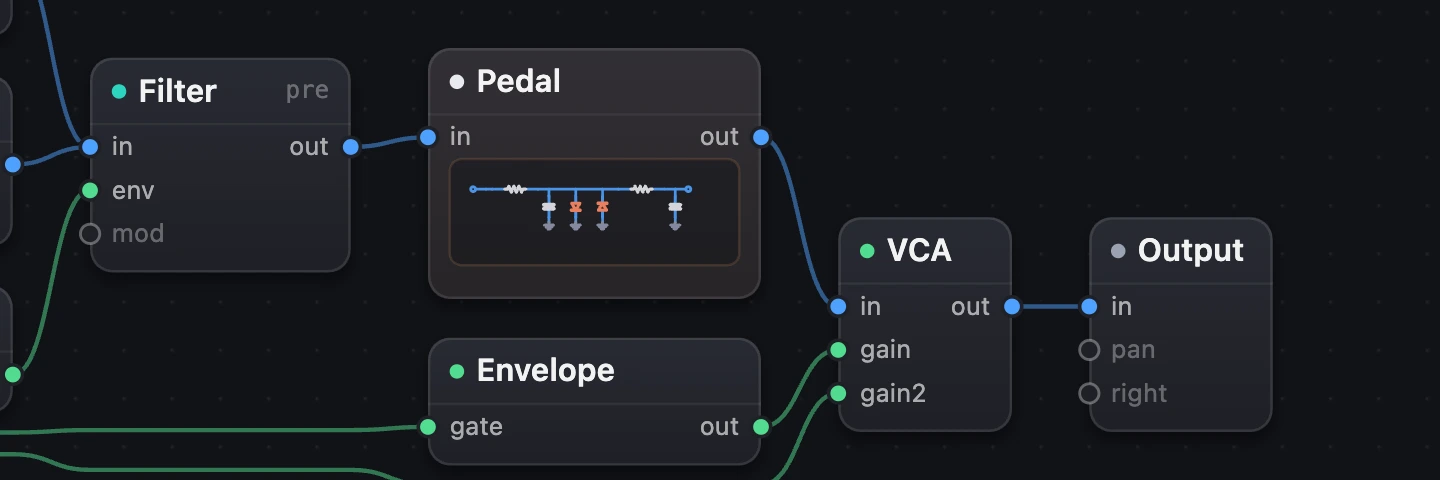
A circuit is a module made of electronic parts, played sample by sample as the real thing would be: in the Patch, one box.
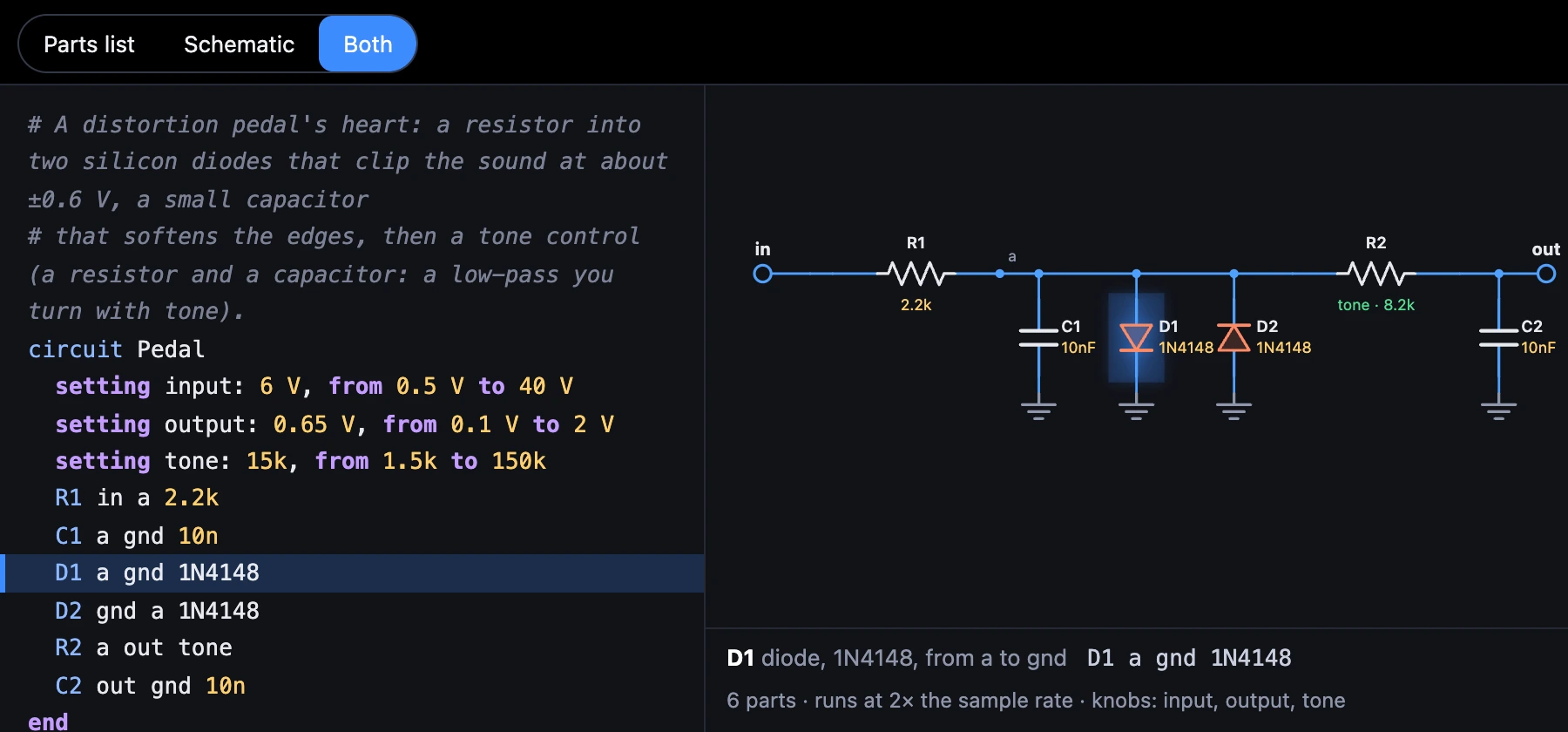
Its parts list is its text: one part per line, its name, the two points it joins, its value (R1 in a 2.2k).
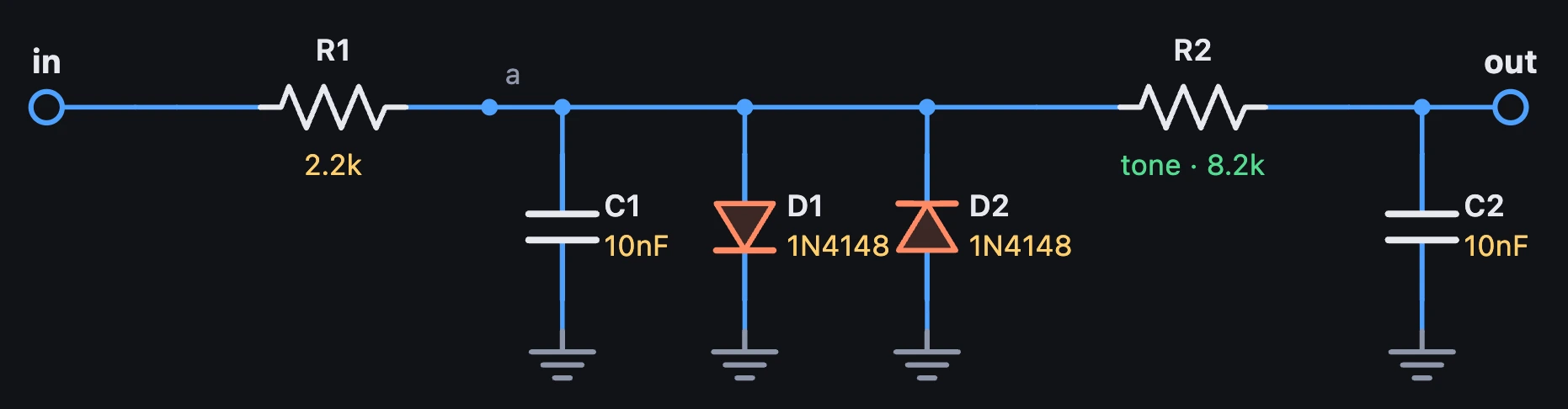
Its schematic is the same circuit drawn with the parts' symbols, made from the parts list.

1Start from circuit
- Choose + Add a module, then Custom modules.
- Choose Start from circuit. Hear it plays an example first.
- Wire it into the sound, between an oscillator and a VCA.
In the Patch it's one box, in to out like a filter, with its schematic in small. It starts as a distortion pedal's heart: a resistor into two diodes, then a tone control.

- The circuit: one box.
2The parts list
Open the circuit (Open on its card, or double-click it). Each line is a part: its name, the two points it joins, and its value.
# A distortion pedal's heart: a resistor into two silicon diodes that clip the sound at about ±0.6 V, a small capacitor# that softens the edges, then a tone control (a resistor and a capacitor: a low-pass you turn with tone).circuit Pedal setting input: 6 V, from 0.5 V to 40 V setting output: 0.65 V, from 0.1 V to 2 V setting tone: 15k, from 1.5k to 150k R1 in a 2.2k C1 a gnd 10n D1 a gnd 1N4148 D2 gnd a 1N4148 R2 a out tone C2 out gnd 10nend| Line | Part |
|---|---|
R1 in a 2.2k | A resistor, from in to a, 2.2 kΩ |
C1 a gnd 10n | A capacitor, 10 nF |
D1 a gnd 1N4148 | A diode, anode then cathode, and its model |
U1 in fb out opamp | An op-amp: its + input, its − input, its output |
Q1 c b e 2N3904 | A transistor: collector, base, emitter, and its model |
V1 vcc gnd 9V | A supply: 9 V between two points |
Values are written as a parts list writes them: 4.7k, 4k7, 10n, 2.2u, 1M, 470p. A capital M is mega, a small m milli.
Diodes give way at different voltages: silicon (1N4148, 1N914) near 0.6 V, germanium (1N34A) near 0.3 V and softer, a red LED near 1.7 V. Transistors come as 2N3904 (silicon NPN), 2N3906 (silicon PNP), AC128 and OC44 (germanium PNP).
3Parts list, Schematic or Both
Inside, choose Parts list, Schematic or Both. The schematic is drawn from the parts list, with the signal's way from in to out along the top and parts to ground hanging below it. It can't be edited: you change the circuit in the parts list.
In SynthMaker, choose a part in the schematic and its line lights; put the cursor on a line and its part lights. Under the schematic, the part is spelt out: D1 diode, 1N4148, from a to gnd.
4A mistake turns its line red
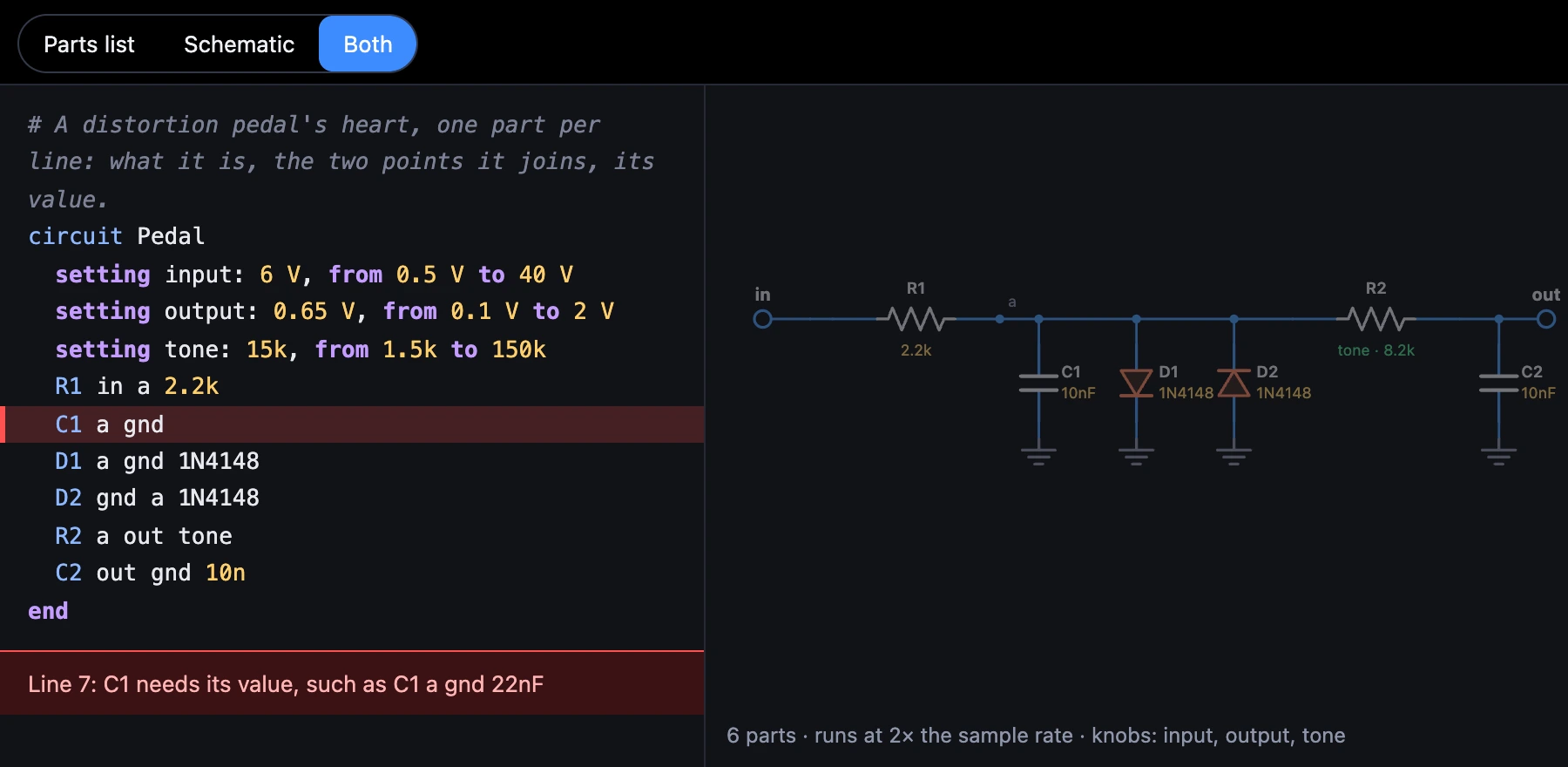
The sound changes as soon as the parts list reads. A line with a problem turns red, with what's wrong in plain words under it, and the last good schematic stays, dimmed. A circuit with a problem plays silence; the rest of the patch plays on.
Try it
- Open Diode Pedal Starter and play a few notes.
- In the parts list, change
1N4148to1N34Aon both diodes: softer, earlier clipping. - Then try
LED: louder and cleaner before it breaks up.
On the Mac, circuits work the same: Start from circuit, the parts list and its red lines, Parts list, Schematic or Both, and the eleven demos. There the schematic also scrolls and zooms with a pinch.
Remember
- Start from circuit adds a circuit: one box in the Patch,
intoout. - Its inside is a parts list, a part per line: name, two points, value.
- The schematic is drawn from it; choosing a part lights its line, and a mistake turns its line red.