 SynthMaker
Code modules
A Code module is a module you write yourself: a few lines of maths that run for every sample of every note. Read it as code, as a graph of the maths, or both.
New words
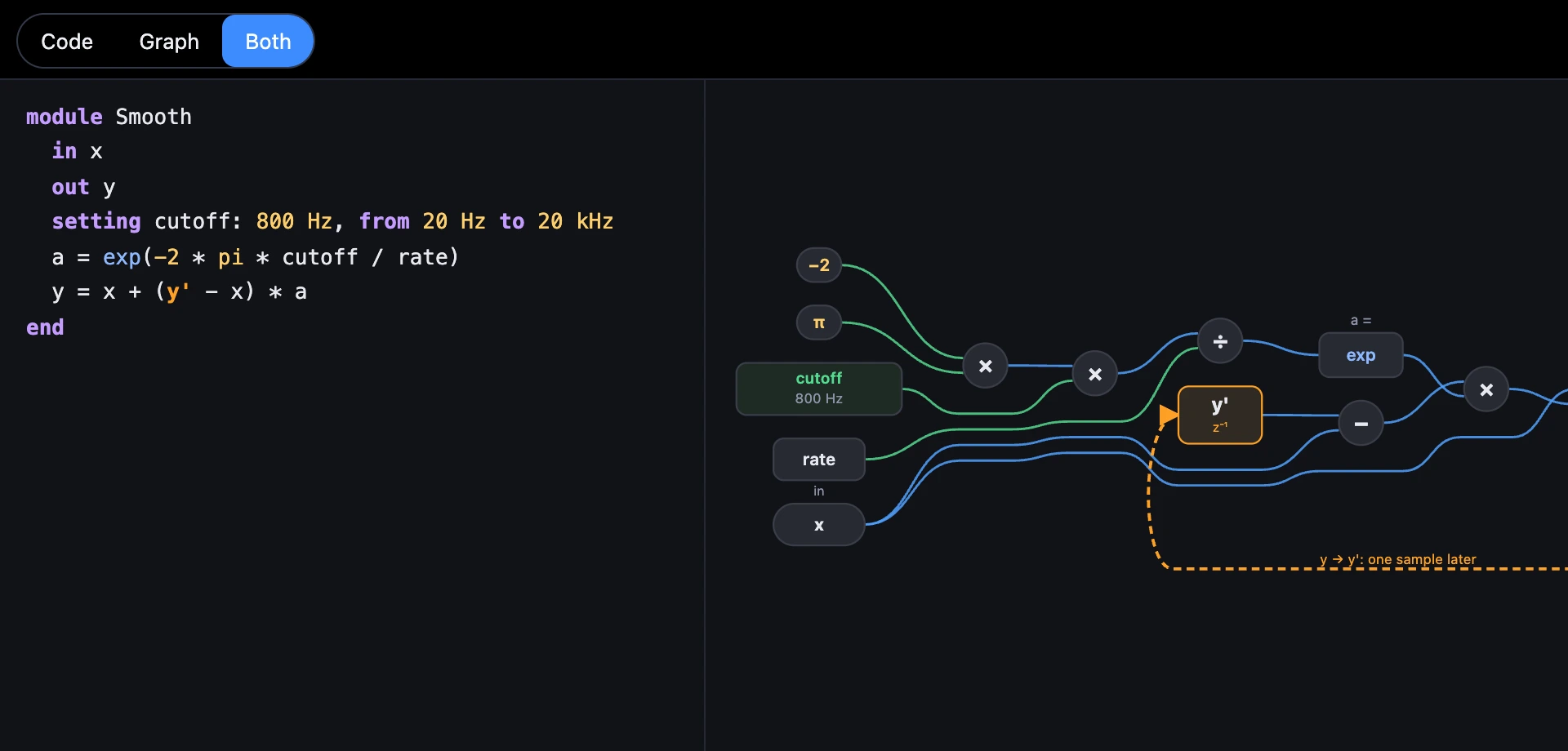
A Code module is a module you write yourself: a few lines of maths, run for every sample of every note.

1Start from code
- In the Code view choose + Start from code, or find Start from code under Custom modules in + Add a module.
- It goes into the wire to the Output, so you hear it at once: Smooth, a one-pole low-pass.
- Open it to read and change its code.

- The Code module, with its first lines.
2What the lines mean
in x,out yandsetting cutoff: 800 Hz, from 20 Hz to 20 kHzare its ports and its knob, as the Patch shows them.- The rest run in order, every sample:
name = expression. y'isyone sample ago. That's what makes a filter remember.pi,rate(samples per second) and the voice'sfreq,gate,velocityandnoteare there to use.- Functions such as
sin,exp,log,sqrt,abs,min,max,clamp,wrapandnoise(), andif c then a else bfor a choice.
module Smooth in x out y setting cutoff: 800 Hz, from 20 Hz to 20 kHz a = exp(-2 * pi * cutoff / rate) y = x + (y' - x) * aend3Code, Graph or Both
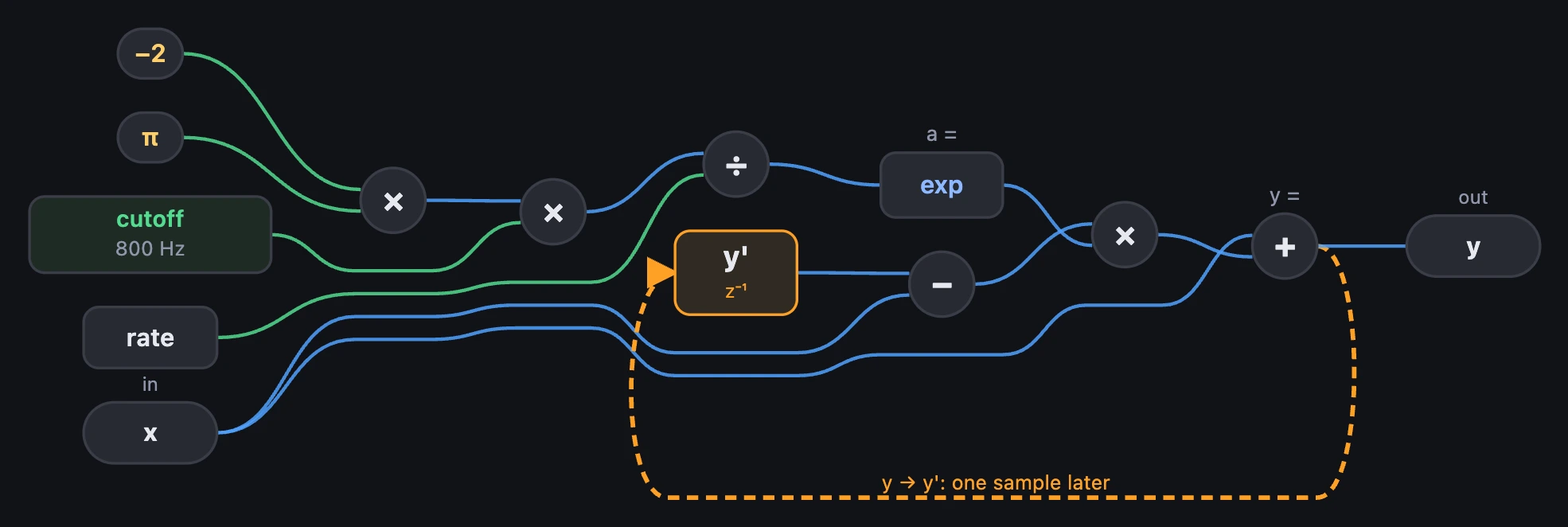
Graph draws the maths as boxes: every operator, number, input, setting and output, and y' as a one-sample delay with its feedback wire dashed back. It follows the code as you type. In SynthMaker, choose a box and its code lights; put the cursor in the code and its box is chosen.
4Mistakes
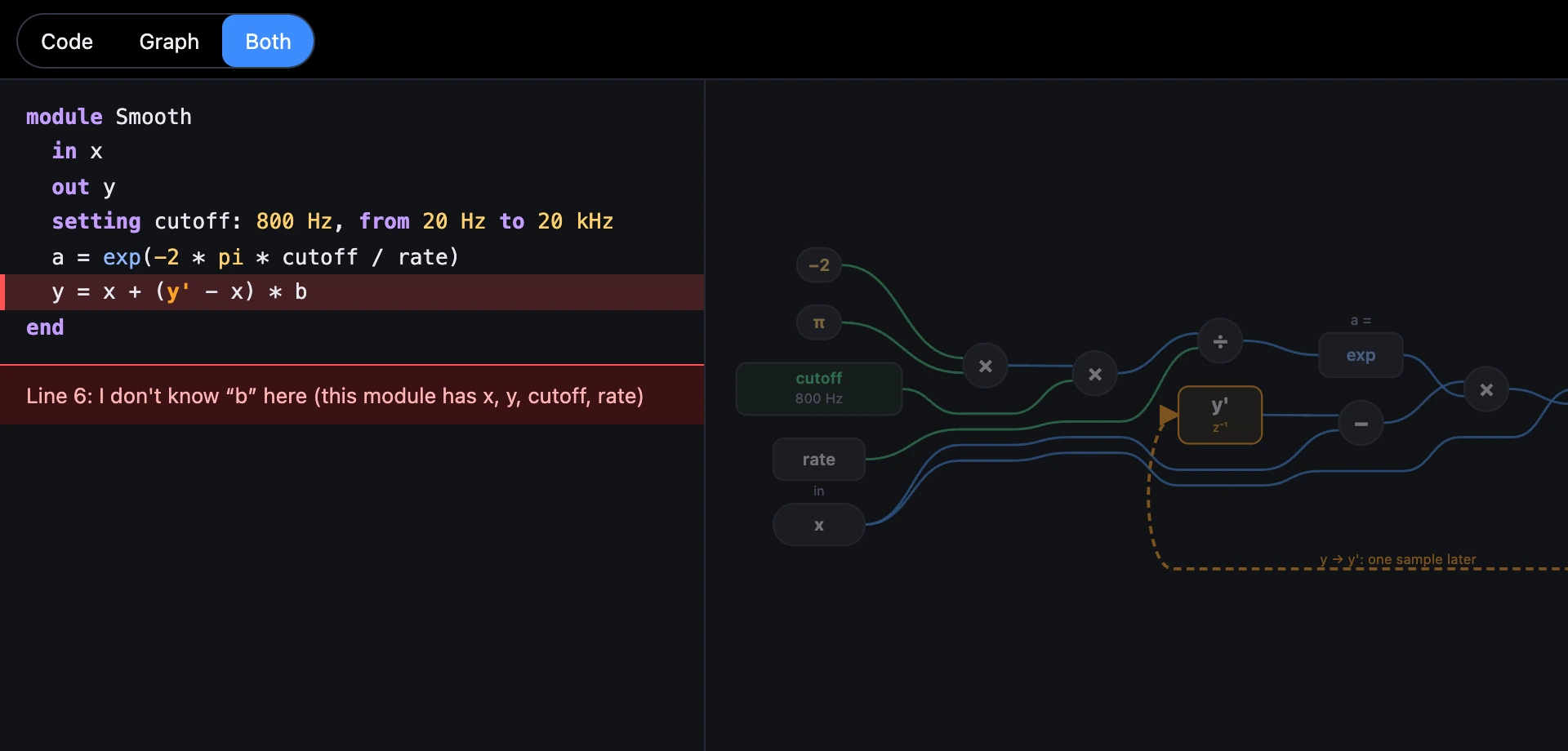
A line that can't run turns red, with what's wrong, and the sound keeps its last good version. A Code module with a problem plays silence; the rest of the patch plays on.
Try it
- Open Smooth Pluck, then Smooth.
- Change the last line to
y = x + (y'' - x) * a: two samples ago, a different filter. - Turn its Cutoff knob on Smooth's card and listen.
On the Mac, a Code module opens the same way, as Code, Graph or Both.
Remember
- A Code module is
module Name … end: its ports, its knobs, and lines run every sample. y'is one sample ago.- Graph draws the maths; choosing a box lights its code.